

Why is COR the best
management solution?
COR helps you negotiate better fees with your clients, run more efficient projects and maximize your team's billable hours, with real-time data from your operation.
 | Recommended |  |  |  |  |  |  |  |  |
|---|---|---|---|---|---|---|---|---|---|
| Project & task management (+ Gantt charts) | |||||||||
| Automated time tracking | |||||||||
| Client collaboration and access | |||||||||
| Advanced metrics dashboards and reports | |||||||||
| Client profitability and metrics | |||||||||
| Rework and deviation detection | |||||||||
| Project revenue and cost management | |||||||||
| Project profitability (current and forecasted) | |||||||||
| Team capacity planning | |||||||||
| Contract and fee management | |||||||||
| Deliverable history and versions | |||||||||
| Full project traceability | |||||||||
| Real-time comments and corrections | |||||||||
| Advanced dashboards | |||||||||
| Built-in Business Intelligence (BI) | |||||||||
| Consultative Success Management | |||||||||
| Results-driven automation |
The advantage that makes the difference
More profitable fees
Negotiate better fees with real data on time spent and profitability per client.
Efficient projects
Catch deviations and rework before they hit your operating margin.
Maximum billable hours
Maximize the share of hours that generate revenue with smart automation.
The all-in-one
management solution
COR helps professional services firms make sound decisions based on real, concrete data.
Unlike other software, COR helps hundreds of agencies around the world streamline workflows, manage resources efficiently and know which services generate the most profit.
Besides being the most user-friendly management tool for assigning tasks, tracking hours worked and collaborating across the team, COR helps project leaders keep their work organized and improve the way their whole team works.
COR — impact summary
1,000+
agencies
17/17
features
Detailed comparisons
Explore each comparison in detail to see which tool best fits your operation.
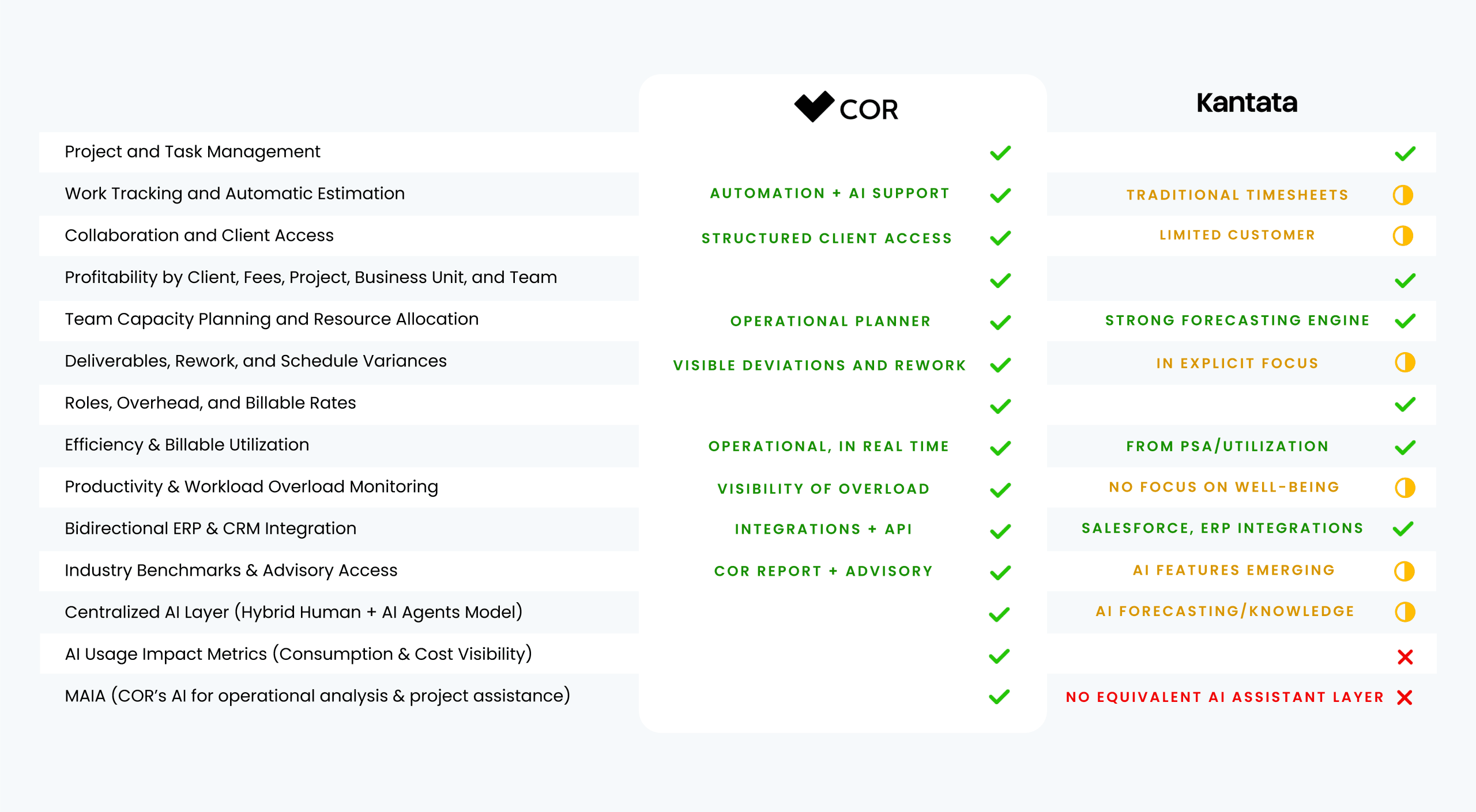 vsKantata
Why creative agencies need more than a traditional PSA to protect their margins.
Read the full comparison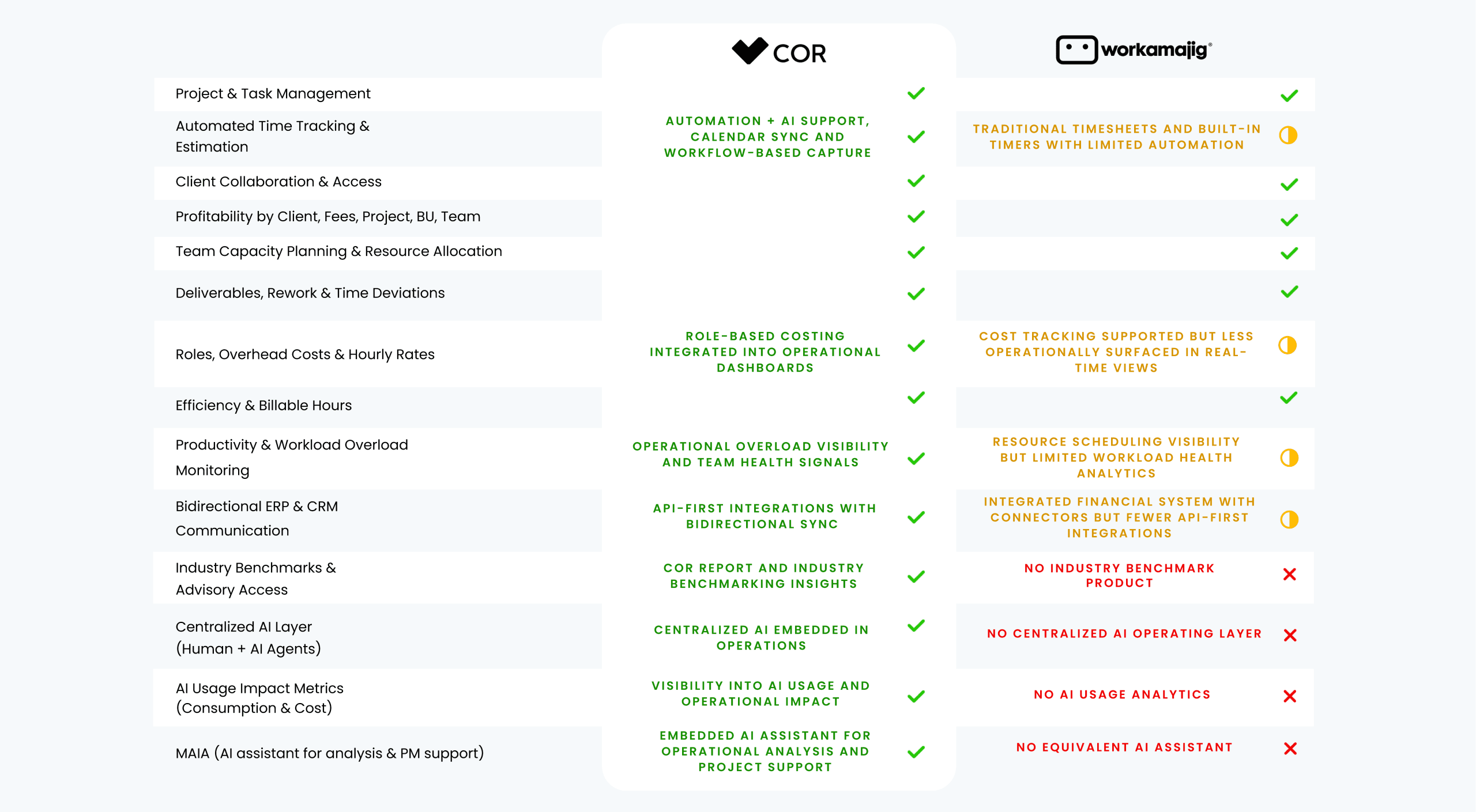 vsWorkamajig
COR measures operational reality while work happens — not retroactively.
Read the full comparison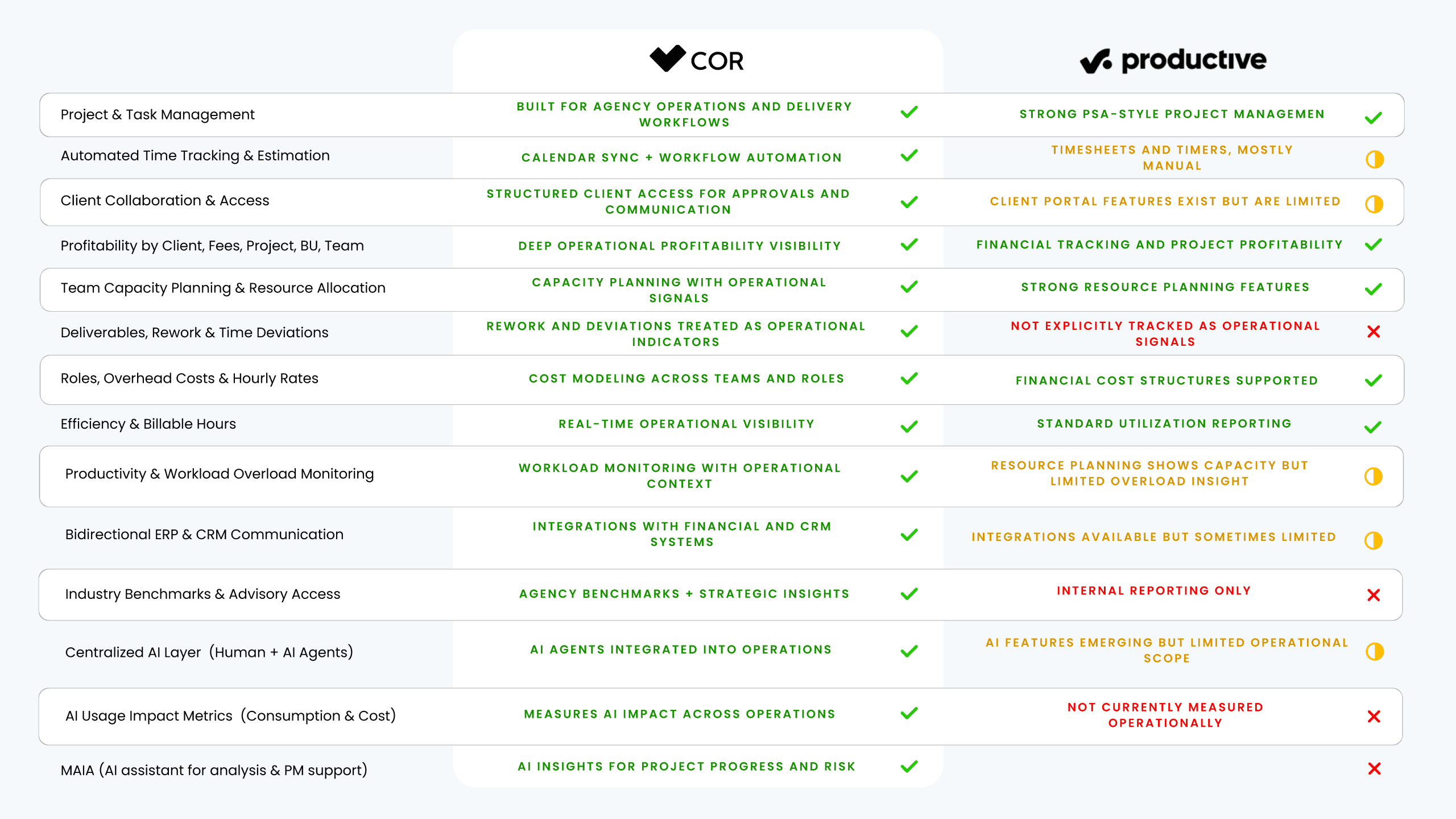 vsProductive
Real-time signals that surface margin erosion before it becomes a major problem.
Read the full comparison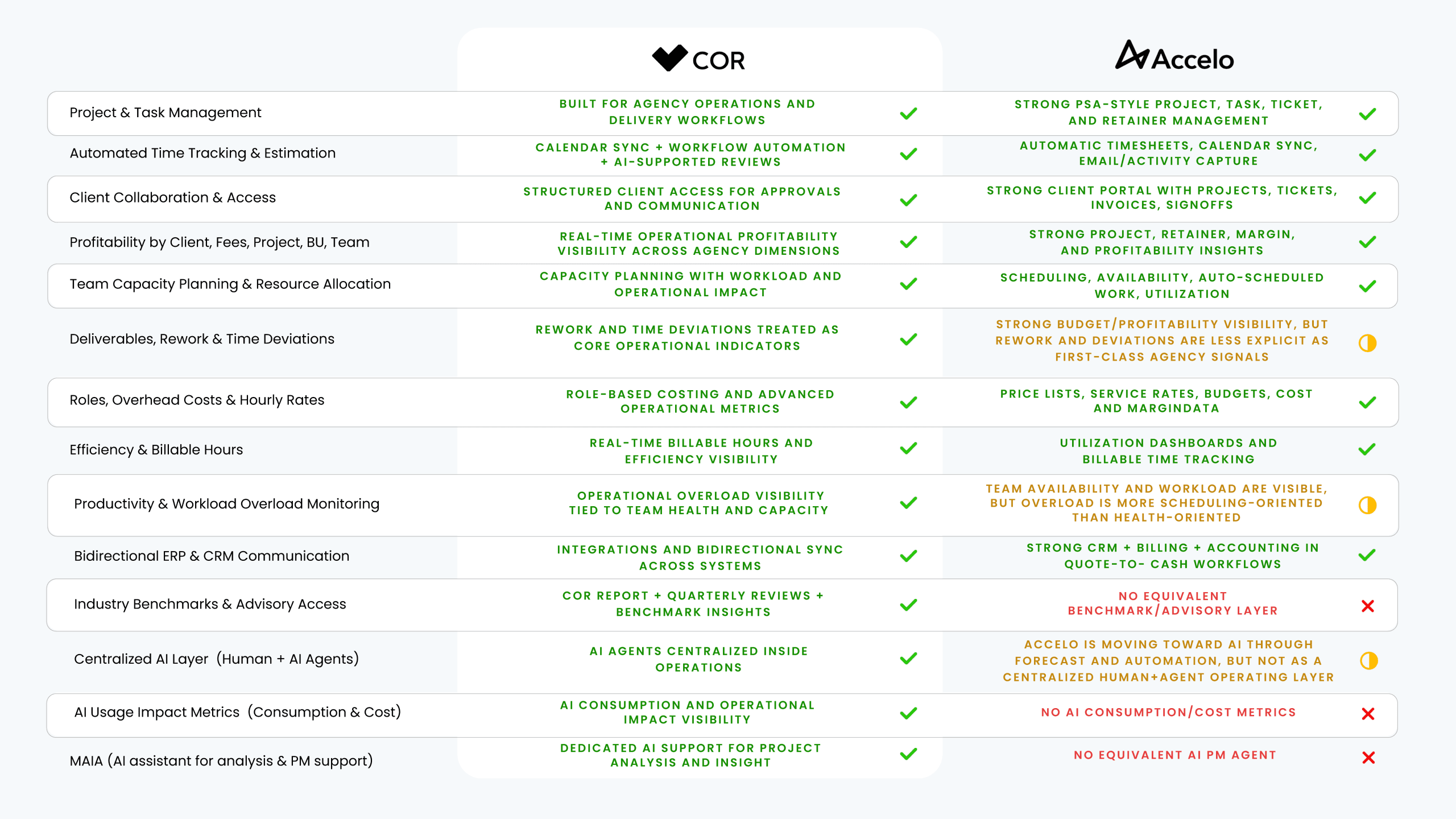 vsAccelo
A profitability operating system vs. a service operations platform.
Read the full comparisonFrequently asked questions about COR and its alternatives
What is the difference between COR and tools like Monday, Asana or Trello?
Monday, Asana and Trello are general-purpose task management tools. COR adds the financial layer they don't cover: automated time tracking, current and forecasted project profitability, rework and deviation detection, and contract and fee management. In the comparison on this page, none of the three covers those features.
Does COR replace my project management tool?
Yes. COR includes project and task management with Gantt charts, client collaboration and access, and full project traceability. The difference is that it also measures the financial impact of that work, so you don't need a separate tool to know whether a project was profitable.
How does COR compare to Kantata or Workfront?
Kantata and Workfront are the closest alternatives in financial features: both cover profitability, capacity planning and fee management. COR stands out with real-time comments and corrections on deliverables, and with full project traceability, a feature the comparison does not show for Workfront.
What does an agency gain by switching to COR?
Three concrete things: negotiating better fees with real data on time spent and profitability per client, catching deviations and rework before they hit your operating margin, and maximizing the share of hours that generate revenue with smart automation.
Does COR work for consulting firms, not just agencies?
Yes. Project revenue and cost management, team capacity planning and team analysis by role and position apply just as well to professional services firms that bill by the hour and by project.
Does COR include Business Intelligence without extra tools?
Yes. COR comes with built-in Business Intelligence and advanced dashboards, plus consultative Success Management. You don't need to connect a separate BI tool to read your profitability metrics.